
As a website owner, you know how vital a smooth user experience is. Core web vitals are key to this goal. Google now stresses the importance of user experience and site performance with core web vitals. These include Largest Contentful Paint (LCP), First Input Delay (FID), and Cumulative Layout Shift (CLS).
These metrics check how fast a site loads, how interactive it is, and its visual stability.
It’s crucial to understand and improve core web vitals for better site performance and user experience. This also helps with SEO rankings. In this article, we’ll dive into core web vitals and give you tools to boost your site’s performance.
Key Takeaways
- Core web vitals are a set of metrics that measure the user experience of a website.
- Largest Contentful Paint (LCP) measures the loading performance of a website.
- First Input Delay (FID) measures the interactivity of a website.
- Cumulative Layout Shift (CLS) measures the visual stability of a website.
- Optimizing core web vitals can improve website performance and user experience.
- Core web vitals are a key factor in SEO rankings.
- Google uses real-world data from Chrome User Experience Report (CrUX) to assess Core Web Vitals.
Understanding Core Web Vitals
Exploring website performance, I see how SEO ranking factors shape my online image. The Page Experience update highlights the role of user experience in rankings. To boost my site’s performance, I must grasp the Core Web Vitals. These are key metrics for the Google search algorithm to judge website quality.
The three vital metrics are Largest Contentful Paint (LCP), First Input Delay (FID), and Cumulative Layout Shift (CLS). A fast LCP is under 2.5 seconds, and a low CLS score is 0.1 or less. Mastering these metrics is essential for better website performance. It also helps in enhancing user experience and boosting SEO ranking factors.
Here are some important stats to remember:
- A good LCP is 2.5 seconds or less.
- A good CLS score is 0.1 or less.
- 85.51% of desktop experiences are considered good, as per the Chrome User Experience report.
By optimizing these metrics, I can make my website faster and more user-friendly. This will lead to better SEO ranking factors and a higher spot in the Google search algorithm.
The Three Essential Metrics
There are three key metrics to check when looking at a website’s user experience. These metrics help us see how well a website works and where it can get better. They focus on how fast a website loads, how interactive it is, and how stable it looks.
A website’s performance is crucial for keeping users engaged and converting them. A site that loads quickly, responds well, and looks stable will keep users around longer. To make this happen, it’s vital to work on these three main metrics.
Understanding the Metrics
The three essential metrics are:
* Largest Contentful Paint (LCP): checks how fast a website loads
* First Input Delay (FID): looks at how interactive a website is
* Cumulative Layout Shift (CLS): measures how stable a website looks
Improving these metrics is key to making a website better for users. Fast loading, smooth interaction, and stable visuals make for a great user experience.
| Metric | Good | Need Improvement | Poor |
|---|---|---|---|
| LCP | > 4s | ||
| FID | > 500ms | ||
| CLS | > 0.25 |
By focusing on these metrics, website owners can make their site better. This leads to more user engagement and more conversions.
Why Core Web Vitals Matter
As a website owner, knowing about core web vitals is crucial. They help improve user experience and boost SEO ranking factors. A high score can significantly impact your site’s ranking on search engines. This, in turn, affects your online presence and trustworthiness.
The Google search algorithm sees core web vitals as vital for page experience. By optimizing these, your site’s performance can soar. This leads to more user engagement and higher conversion rates.
Here are some key points to consider:
- Core web vitals are a subset of factors contributing to Google’s overall page experience score.
- A good Largest Contentful Paint (LCP) score is defined as 2.5 seconds or under for optimal user experience.
- First Input Delay (FID) measures the time it takes for a user to interact with a page, with specific examples including dropdown menus and form fields.
By focusing on core web vitals and improving SEO ranking factors, your site’s performance can greatly improve. This leads to better user experience and higher search engine rankings.
Analyzing Your Current Performance
To find out where you can get better, it’s key to check your current performance. Use tools like Google PageSpeed Insights, Search Console, and Lighthouse. These tools give you insights into your site’s speed and performance.
Google PageSpeed Insights helps you see how fast your site loads. Search Console reports show how well your site ranks in search engines and how users experience it. Lighthouse scores give a detailed look at your site’s performance, including LCP, FID, and CLS.
Here are some important metrics to watch when checking your site’s performance:
- Largest Contentful Paint (LCP): measures the time it takes for the main content of a page to load
- First Input Delay (FID): measures the time it takes for a page to become interactive
- Cumulative Layout Shift (CLS): measures the stability of a page’s layout
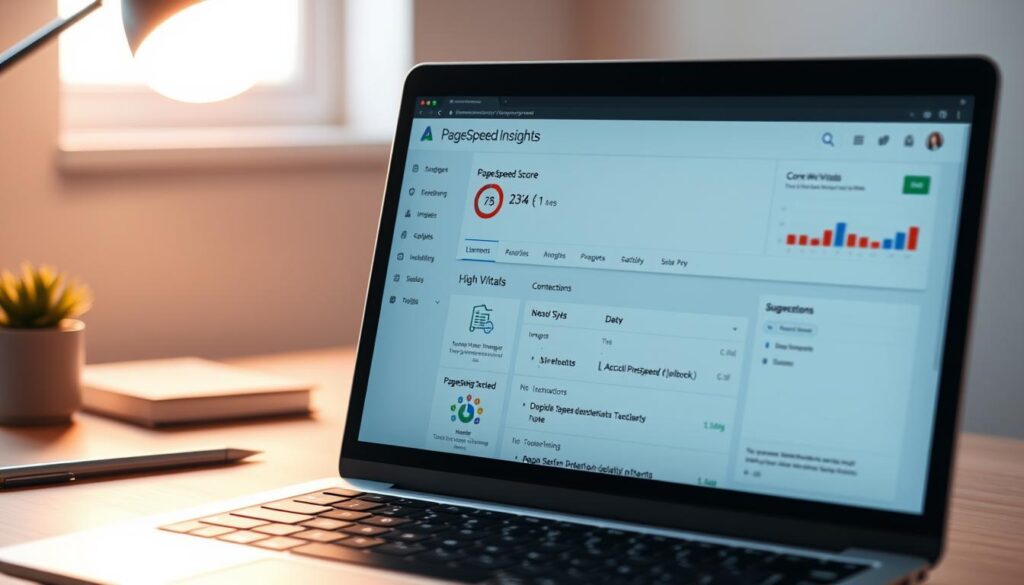
By keeping an eye on your site’s performance with these tools, you can spot areas to improve. This will help make your site faster, better for users, and more visible in search engines.
Strategies to Improve LCP
To make a website better for users, it’s key to boost the Largest Contentful Paint (LCP) score. A good LCP score is under 2.5 seconds. One way to do this is to make images and media smaller. This can make your website load faster.
Another method is to cut down on things that slow down your website, like JavaScript and CSS files. Using lazy loading can also help. It reduces data transfer and makes your website run smoother, improving image optimization and cutting down on render-blocking resources.
Here are some main ways to better LCP:
- Optimize images and media to reduce file size and improve loading speed
- Minimize render-blocking resources to improve loading speed
- Implement lazy loading techniques to reduce data transfer and improve performance
By using these strategies, website owners can boost their LCP score. This makes the user experience better and can help with SEO rankings. Good SEO is linked to loading speed and
It’s important to keep checking your website’s performance. This helps find areas to get better and keeps the LCP score high. By doing this, you can give users a better experience, get more engagement, and increase conversions. This is the main goal of optimizing render-blocking resources and loading speed.
Enhancing FID for Better Interactivity
To make a website more interactive, it’s key to lower the First Input Delay (FID). FID shows how long it takes for a user’s first action to be processed by the browser. A score of 100 milliseconds or less is considered good, offering a smooth user experience. Reducing JavaScript execution time is vital, as it’s the main reason for slow FID scores.
Using web workers can move tasks away from the main thread, boosting website performance and interactivity. Also, optimizing event handlers can cut down the time it takes for the website to react to user actions. These steps can make a website more responsive, leading to higher user engagement and lower bounce rates.
- Google recommends an FID of 100 milliseconds or less for optimal responsiveness.
- The average FID was approximately 56 milliseconds on mobile and 13 milliseconds on desktop.
- Google suggests focusing on the 95th to 99th percentiles of FID to identify the worst user experiences.
By tackling FID, website owners can make their sites more interactive and responsive. This can lead to better search engine rankings and more user engagement.
Reducing CLS for a Stable Experience
To give users a stable experience, it’s key to cut down on Cumulative Layout Shift (CLS). CLS happens when things on a webpage move suddenly, causing instability. This can make users unhappy, lead to more people leaving the site, and hurt search rankings.
Using CSS can make the website look more stable and cut down on layout shifts. Also, managing ads and iframes well can help avoid layout shifts. Some good ways to lower CLS include:
- Using size attributes for images and videos
- Never inserting content dynamically above existing content
- Using CSS for animations
By sticking to these tips and using CSS, website owners can make their sites more stable. This means users will have a better experience, with less layout shifts and better visual stability.
It’s smart to do regular checks to keep your website stable and running well. By watching CLS and tweaking things as needed, you can make your site better for users. This can also help your site rank higher in search results.
Tools for Monitoring Core Web Vitals
Improving our website’s performance is key. We need the right tools to track Core Web Vitals. Google Search Console gives us insights into our site’s performance. It shows metrics like Largest Contentful Paint (LCP), First Input Delay (FID), and Cumulative Layout Shift (CLS).
PageSpeed Insights also helps. It gives us tips on how to make our site better. This helps us find areas to improve.
Lighthouse is another important tool. It checks our site’s performance and gives us a detailed report. With these tools, we can understand our site’s performance better. This helps us make decisions to improve user experience.

These tools have many features. They help us monitor our site in real-time and set up alerts. This keeps us informed about our site’s performance.
Using these tools and following best practices helps us improve our site’s Core Web Vitals. This leads to better user engagement and higher conversion rates. It also boosts our business success.
Best Practices for Website Performance
Improving website performance is key to a great user experience. Most people use mobile devices to access the web. So, mobile optimization is a must. It makes sure our site works well for most users.
Leveraging browser caching is another smart move. It cuts down data transfer, making pages load faster. Also, enhancing server response times boosts our site’s speed.
To make our site even better, we can try a few things. We can optimize images, cut down on CSS and JavaScript, and use browser caching. These steps help our site load quickly and smoothly. This leads to happier users and better website performance.
The Role of Design in Core Web Vitals
Design is key in Core Web Vitals for a fast and smooth user experience. Responsive web design uses flexible grids and media queries. This makes sure websites work well on all devices.
Designers must find a balance between looks and speed. A pretty website can be slow, and a fast one might look bad. They need to focus on responsive web design to improve both.
Here are some ways to achieve this balance:
- Optimizing images and media to reduce load times
- Minimizing code and leveraging browser caching to improve performance
- Implementing lazy loading techniques to reduce the amount of data transferred
By using these strategies, designers can make websites that look great and work fast. This gives users a better experience and boosts Core Web Vitals scores.
Common Pitfalls to Avoid
When optimizing for Core Web Vitals, it’s key to know common pitfalls that can slow you down. One big mistake is ignoring mobile users. They make up a big part of your website traffic. Not focusing on mobile can hurt your site’s performance and lower sales.
Another big mistake is not testing enough. Testing regularly helps find and fix problems that affect your site’s speed. Skipping tests means you might miss chances to boost your site’s scores and rankings.
Common problems include slow servers, big images, and too much JavaScript. To dodge these common pitfalls, focus on testing and use data to make improvements. For more help, contact us at contact us.
Knowing these common pitfalls and avoiding them can make your site better. Always remember to test and use data to make smart choices. This way, your site will meet the Core Web Vitals standards.
The Future of Core Web Vitals
Looking ahead, it’s key to think about Google’s evolving standards and their impact on our sites. Google has updated First Input Delay (FID) with Interaction to Next Paint (INP) as a new metric. This shows Google’s dedication to better user experiences. The future of core web vitals is promising, aiming for faster and smoother user interactions.
To keep up, website owners need to integrate core web vitals into their strategy and get ready for algorithm changes. This means optimizing for Largest Contentful Paint (LCP), Cumulative Layout Shift (CLS), and INP. This way, sites will meet the latest algorithm standards and offer a quick, smooth experience. With algorithm changes coming, it’s crucial to keep up with core web vitals updates.
Some important stats for optimizing core web vitals include:
- 83% of customers say the experience a company offers is as important as its products and services.
- Only 57.8% of sites have a good LCP score, showing LCP is tough for many.
- A good LCP score should happen within 2.5 seconds of page loading.
By focusing on core web vitals and keeping up with algorithm changes, site owners can boost their search rankings and user experience. As the web grows, staying on top of future of core web vitals and Google’s evolving standards is vital for success.
Collaborating with Developers
Optimizing core web vitals requires collaborating with developers. Working together ensures your website meets core web vitals goals. This makes for a smooth user experience. It’s vital to set performance budgets and check progress often.
Good communication is key in collaboration. Explain why core web vitals matter and how they affect your site’s performance. This helps developers understand their goals and work towards them. Here are some ways to collaborate well:
- Establish clear core web vitals goals and share them with the team
- Set performance budgets to keep your site fast and efficient
- Check progress often and give feedback to the team
By using these strategies, your website will meet core web vitals standards. It will also offer a great user experience. Remember, collaborating with developers is essential for reaching your core web vitals goals. It helps set up effective performance budgets.
Case Studies of Successful Improvements
Learning from real-life examples is key when it comes to improving core web vitals. By looking at case studies, we can learn how to make our websites better. For example, Vodafone (Italy) boosted its Largest Contentful Paint (LCP) by 31%, leading to an 8% sales increase. iCook also saw a 15% improvement in Cumulative Layout Shift (CLS), which raised their ad revenue by 10%.
These case studies show how improvements can make a big difference. By studying them, we can learn important lessons. We find out how crucial it is to optimize images, reduce render-blocking resources, and use lazy loading.
Tokopedia is another great example. They improved their LCP by 55% and saw a 23% increase in average session time. Redbus also did well, achieving mobile conversion rates (mCVR) of 80-100% and seeing a big boost in domain ranking. These real-life examples teach us the value of optimizing core web vitals and offer lessons for website owners.
Customizing Solutions for Your Site
As a website owner, it’s key to give your users a fast and smooth experience. You need to tailor solutions that fit your business needs. This means making your website work best for your goals and audience.
Understanding what your audience wants is also vital. It helps you know their needs and likes better.
When customizing, think about a few important things. These include optimizing images and media, minimizing render-blocking resources, and implementing lazy loading techniques. These steps can make your site load faster, work better, and look great. For more on optimizing for Core Web Vitals, check out this resource.
Some good ways to customize your site include:
- Doing regular audits to find areas to improve
- Using caching and CDNs to speed up your site
- Optimizing images and media to save bandwidth
- Tracking Core Web Vitals with performance tools
By customizing for your business, you can make your site better. This can lead to more user engagement and sales. Always check how changes affect your site and adjust as needed. With the right steps, you can make your site fast, easy to use, and stand out from others.
| Core Web Vitals Metrics | Target Values |
|---|---|
| Largest Contentful Paint (LCP) | 2.5 seconds or less |
| First Input Delay (FID) | 100 milliseconds or less |
| Cumulative Layout Shift (CLS) | 0.1 or less |
Conclusion: Your Path to High Performance
Optimizing your website’s Core Web Vitals is key to a fast, smooth user experience. By using the strategies from this article, you can make your site better. This will help your site rank higher in search engines.
Core Web Vitals are important for Google’s Page Experience signals. They show how well your site works for users and search engines.
To improve your site, focus on Largest Contentful Paint (LCP), First Input Delay (FID), and Cumulative Layout Shift (CLS). These are vital for a top-performing website. Keep an eye on these metrics to stay competitive and offer a great user experience.
Start using the tips from this article today. Work with your team, set goals, and check your progress often. Even small changes can make a big difference. Focus on high performance and Core Web Vitals to ensure your site’s success.
FAQ
What are core web vitals?
Why are core web vitals important for website performance and SEO?
What are the three essential metrics of core web vitals?
How can I analyze my website’s current performance on core web vitals?
What are some strategies for improving Largest Contentful Paint (LCP)?
How can I enhance First Input Delay (FID) for better interactivity?
What can I do to reduce Cumulative Layout Shift (CLS) for a stable experience?
What are some common pitfalls to avoid when optimizing core web vitals?
How can I collaborate with developers to optimize core web vitals?
Source Links
- https://seosherpa.com/core-web-vitals/
- https://topenddevs.com/podcasts/javascript-jabber/episodes/core-web-vitals-and-whatnot-jsj-537
- https://www.semrush.com/blog/core-web-vitals/
- https://www.searchenginejournal.com/core-web-vitals/
- https://www.conductor.com/academy/core-web-vitals/
- https://backlinko.com/hub/seo/core-web-vitals
- https://developers.google.com/search/docs/appearance/core-web-vitals
- https://support.google.com/webmasters/answer/9205520?hl=en
- https://www.commonplaces.com/blog/why-are-core-web-vitals-so-important
- https://www.searchenginejournal.com/ranking-factors/core-web-vitals/
- https://www.nostra.ai/blogs-collection/googles-core-web-vitals-and-why-you-should-improve-them-a-basic-introduction
- https://www.debugbear.com/docs/metrics/core-web-vitals
- https://sitecare.com/core-web-vitals-audit/
- https://content-whale.com/blog/how-to-optimise-for-core-web-vitals/
- https://wp-rocket.me/google-core-web-vitals-wordpress/improve-largest-contentful-paint/
- https://targetriver.com/top-strategies-improve-core-web-vitals-2024/
- https://www.bruceclay.com/blog/core-web-vitals-fid/
- https://web.dev/articles/fid
- https://nitropack.io/blog/post/fix-cls
- https://www.hatimeria.com/blog/article/optimizing-cls-cumulative-layout-shift-best-practices-for-a-stable-layout
- https://www.bruceclay.com/blog/core-web-vitals-cls/
- https://www.supermonitoring.com/blog/top-tools-to-monitor-core-web-vitals/
- https://sematext.com/blog/core-web-vitals-monitoring-tools/
- https://nitropack.io/blog/post/core-web-vitals-strategy
- https://web.dev/articles/top-cwv
- https://blog.hubspot.com/marketing/core-web-vitals
- https://www.creative-tim.com/blog/educational-ui-ux/importance-of-addressing-core-web-vitals-for-web-design/
- https://medium.com/design-bootcamp/the-designers-ultimate-guide-to-mastering-core-web-vitals-83c2c70209f5
- https://618media.com/en/blog/ux-design-principles-for-core-web-vitals/
- https://nitropack.io/blog/post/core-web-vitals-issues
- https://www.semrush.com/blog/core-web-vitals-the-most-common-issues/
- https://nitropack.io/blog/post/most-important-core-web-vitals-metrics
- https://wpengine.com/blog/core-web-vitals-what-to-know-2024/
- https://developers.google.com/search/blog/2023/05/introducing-inp
- https://bluetriangle.com/blog/prioritize-core-web-vitals-to-enhance-ux-and-drive-business-success
- https://marketingbyred.com/marketing/how-to-work-better-with-developers-as-an-seo-part-one-strategies-for-productive-collaboration-and-safeguarding-organic-traffic/
- https://web.dev/case-studies/vitals-business-impact
- https://www.rumvision.com/blog/benefits-of-optimizing-core-web-vitals/
- https://www.conductor.com/academy/page-speed-resources/
- https://www.goinflow.com/blog/improve-core-web-vitals/
- https://deliciousbrains.com/optimizing-wordpress-for-core-web-vitals/
- https://www.builder.io/m/explainers/seo-core-web-vitals
- https://stablewp.com/the-ultimate-guide-to-core-web-vitals-how-to-boost-your-core-web-vitals-score/